 rapha.land
JamStation: PSOne Emulator written in Jam#
A PlayStation 1 emulator written in Jam Programming Language. It uses SDL2 for rendering.
Passes JaCzekanski/ps1-tests.
Kindly reminder that Jam lang is experimental yet.
# LIBRARY_PATH should be where SDL2 is located, in this case is an example in MacOS
LIBRARY_PATH=/opt/homebrew/lib jam -lSDL2 -C opt-level=3 -o jamstation main.jam

# Run: jamstation <BIOS_PATH> [GAME_PATH]
./jamstation /path/to/SCPH1001.BIN "/path/to/Brave Fencer Musashi (USA).cue"

# BIOS only — boots to the PlayStation shell:
./jamstation /path/to/SCPH1001.BIN
BIOS_PATH- the PSX BIOS image. The original Sony BIOS (e.g.SCPH1001.BIN) is copyrighted; if you don't own one, the PCSX-Redux OpenBIOS is a free, open-source replacement that boots most software.GAME_PATH- optional, dispatched by extension:.cue/.bin(disc image); the BIOS bootstraps it off the disc. Pass the.cue, not the game folder, its.bintracks are resolved relative to the cue (multi-track and spaces in the name are fine, so quote paths with spaces)..exe- a PS-X executable, sideloaded after the BIOS boots.
Tested on x86 and macOS arm#

Controls#
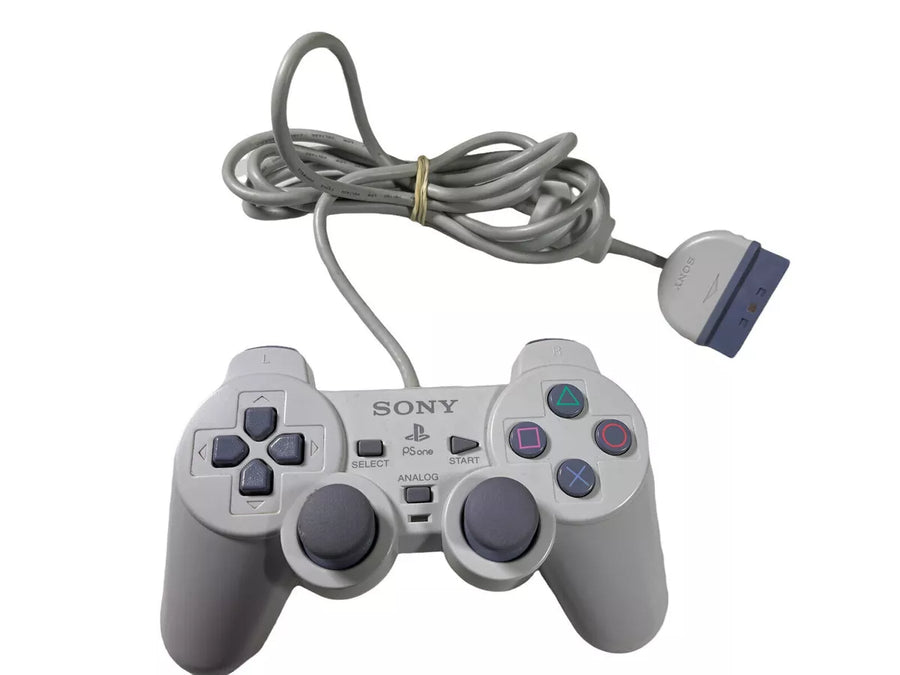
Keyboard maps to a digital PSX controller in slot 1:
| PSX button | Key |
|---|---|
| D-pad ↑ | Up arrow |
| D-pad ↓ | Down arrow |
| D-pad ← | Left arrow |
| D-pad → | Right arrow |
| ╳ Cross | Z |
| ◯ Circle | X |
| ▢ Square | A |
| △ Triangle | S |
| L1 | Q |
| R1 | W |
| L2 | 1 |
| R2 | 2 |
| Start | Return |
| Select | Right Shift |
| Quit | Esc |
Memory cards#
JamStation emulates a standard 128 KB PlayStation memory card in slot 1, so games save and load exactly as they would on real hardware.
The card is backed by a file named slot1.mcd in the current working directory:
- On startup it's loaded if present (you'll see
Loaded memcard: ./slot1.mcd). - On a clean exit: press Esc or close the window, the card is written back, so saves persist across runs.
It's a raw 128 KB image (the common headerless .mcd / .mcr format), so cards are interchangeable with emulators like PCSX-Redux and DuckStation. To start fresh, delete slot1.mcd; a blank card shows up as unformatted, and the BIOS Memory Card manager (or the game) will offer to format it.
References#
- https://github.com/allkern/psxe
- https://github.com/stenzek/duckstation
- https://github.com/JaCzekanski/Avocado
- https://problemkaputt.de/psx.htm
License#
JamStation is released under the MIT License.
Disclaimers#
"PlayStation" and "PSX" are registered trademarks of Sony Interactive Entertainment Europe Limited. This project is not affiliated in any way with Sony Interactive Entertainment.